
Every product on forg has a status that reflects where it is in its journey. You can update this status at any time from your product page — click the status badge next to your product name to open the status selector.
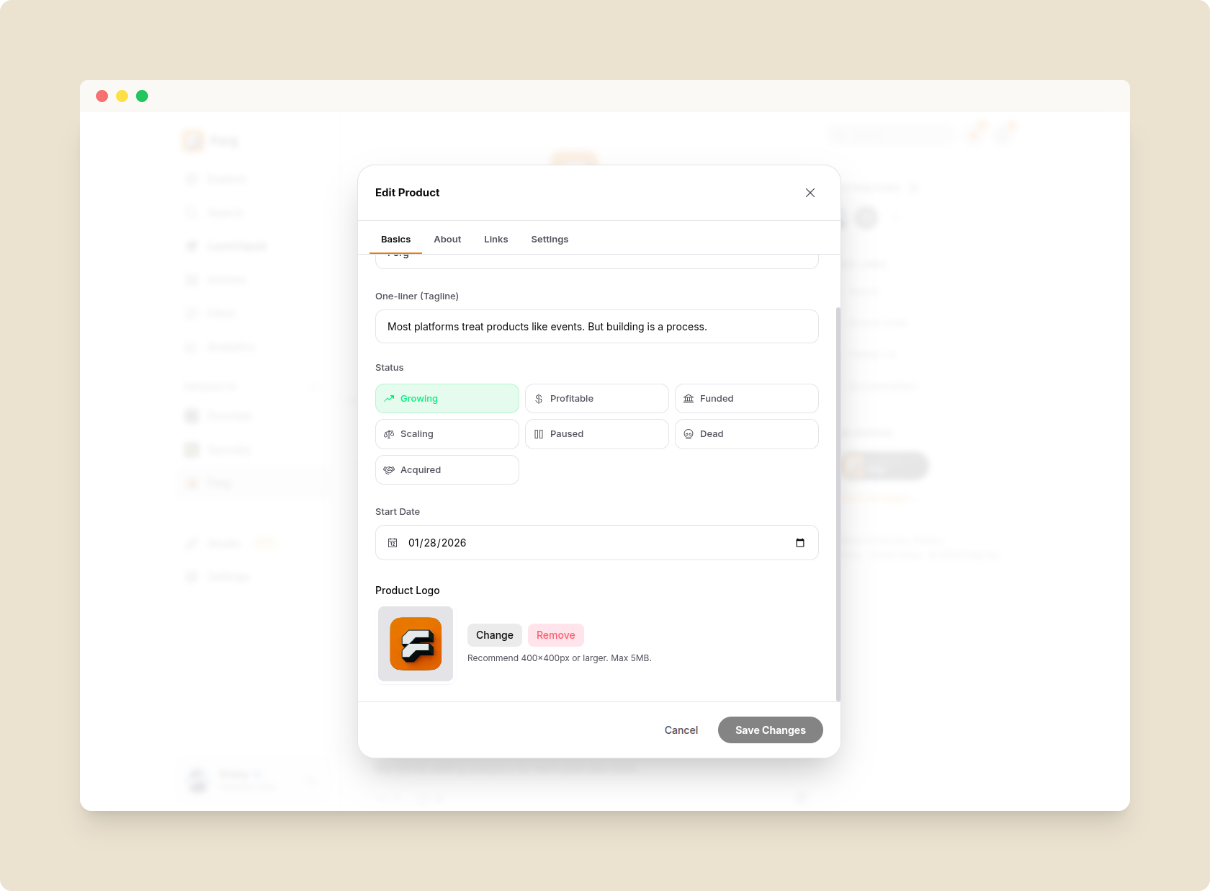
Edit Product Status
Pre-launch stages
| Status | Meaning |
|---|---|
| Idea | Just a concept, not yet started |
| Validating | Testing whether the idea has demand |
| Building | Actively in development |
| Alpha | Internal testing phase |
| Beta | Limited public testing |
Live stages
| Status | Meaning |
|---|---|
| Launched | Publicly launched — triggers Launch Boost |
| Growing | Post-launch, actively acquiring users |
| Profitable | Generating meaningful revenue |
| Funded | Received external investment |
Terminal stages
| Status | Meaning |
|---|---|
| Paused | Temporarily on hold |
| Dead | Project discontinued |
| Acquired | Bought by another company |
Transition rules
- You cannot jump from Idea directly to Launched.
- Once post-launch, you cannot move a product back to pre-launch.
- Dead and Acquired are final states — no further transitions.
- During your 7-day Launch Boost, the Launched status is locked — only the system moves it to Growing.
- Paused products resume back to the exact status they were in before being paused.
Every status change is recorded in your product's public timeline.
Paused Status
When a product is Paused, here is what changes:
- Profile: Still visible on your public profile and product page.
- Timeline: Full update history remains visible to all visitors.
- Explore feed: Not shown in the Recent or Trending tabs of forg.to/explore.
- Products page: Never listed on forg.to/products.
- Landing page: Not shown in the hero section of forg.to.
- Upvoting: Disabled. The upvote button is grayed out for all visitors.
- Posting updates: You cannot post an update while paused. Clicking "Post Update" opens a modal prompting you to resume the project first — it shows the exact status the product will return to.
Resuming a paused product: Click "Resume" and the product reverts to whatever status it was in before it was paused (tracked automatically). After resuming, all visibility and upvoting rules return to normal.
SEO while paused: Paused products remain in the sitemap at a very low priority (crawled monthly) so they are not completely de-indexed. Products with a dofollow badge, staff pick badge, or a premium owner stay eligible for indexing even while paused.
Dormancy & Auto-Pause
Forg keeps the community active and the discover feed relevant. Products that stay inactive for too long are automatically moved to Paused by the system.
Idea status:
- 60 days with no updates posted — you receive an email warning and a banner appears on your product page. You have 30 more days to ship an update or manually mark it as paused.
- 90 days with no updates posted — the product is automatically moved to Paused by the system.
Building status:
- 30 days with no updates posted — you receive an email warning and a banner appears on your product page. You have 15 more days to ship an update or manually mark it as paused.
- 45 days with no updates posted — the product is automatically moved to Paused by the system.
The banner on your product page gives you two quick actions: Mark as Paused (freezes the project cleanly) or Post Update (opens the update composer and resets the clock).
Note on Idea status and SEO: Products in the Idea stage are never indexed by search engines. This protects your domain reputation while the idea is still unproven. Once you move past Idea, standard indexing rules apply (dofollow badge, premium plan, or staff pick badge).